Bidirectional Cross-Probing
Jump effortlessly between PCB layout and schematic sheets. Click any pin, pad, or net to spotlight its counterpart on the opposite drawing instantly.
 KeltriREADER
KELTRI WORKBENCH / NATIVE EDA & SCHEMATIC READER
Inspect PCB layouts, schematics, and vector datasheets across Altium, KiCad, Protel, PADS, Cadence OrCAD / Allegro, EAGLE, Mentor Xpedition, and EasyEDA in a single, unified workspace. Trace signals across paired drawings with bidirectional instant cross-probing.
KELTRI / READER
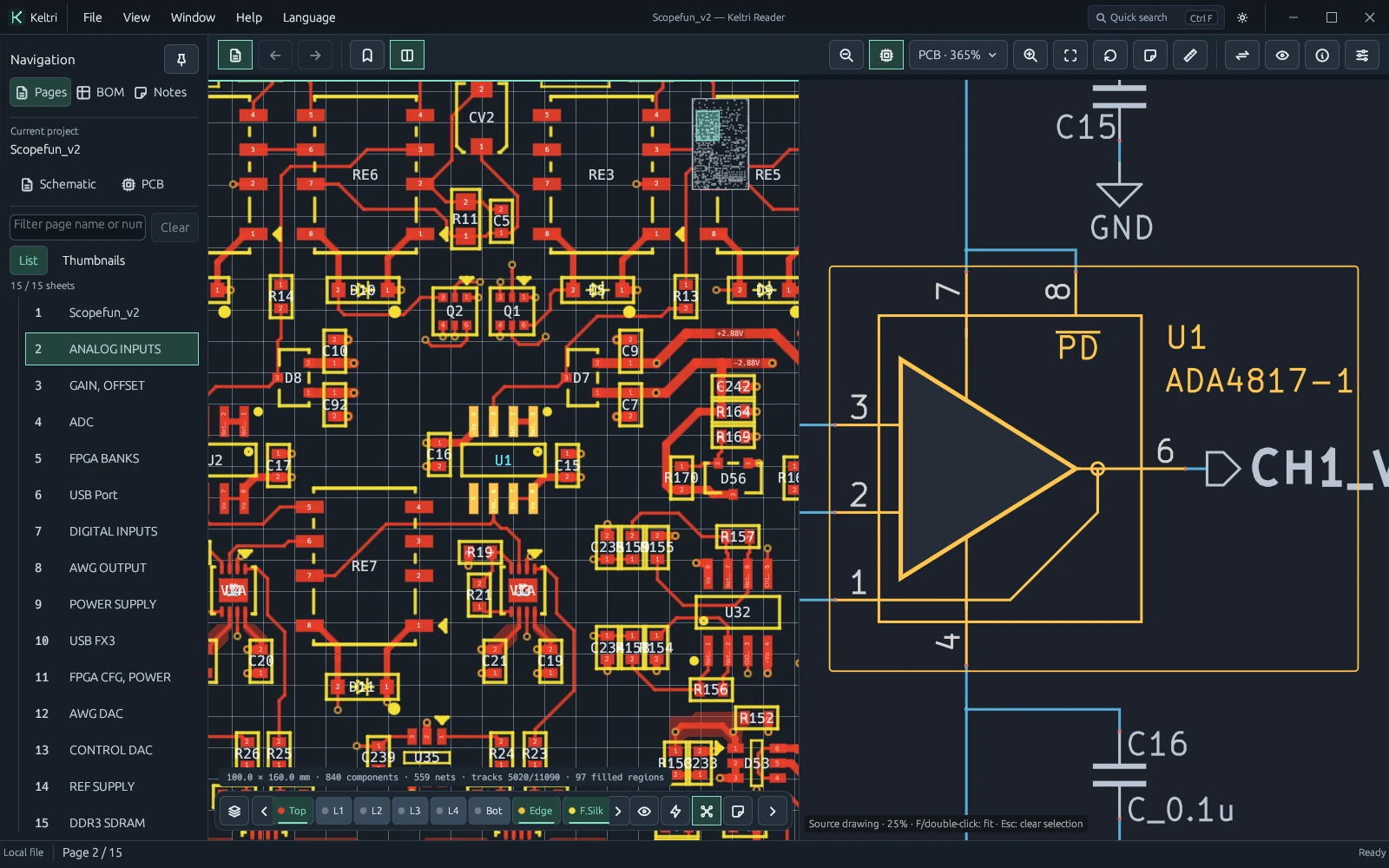
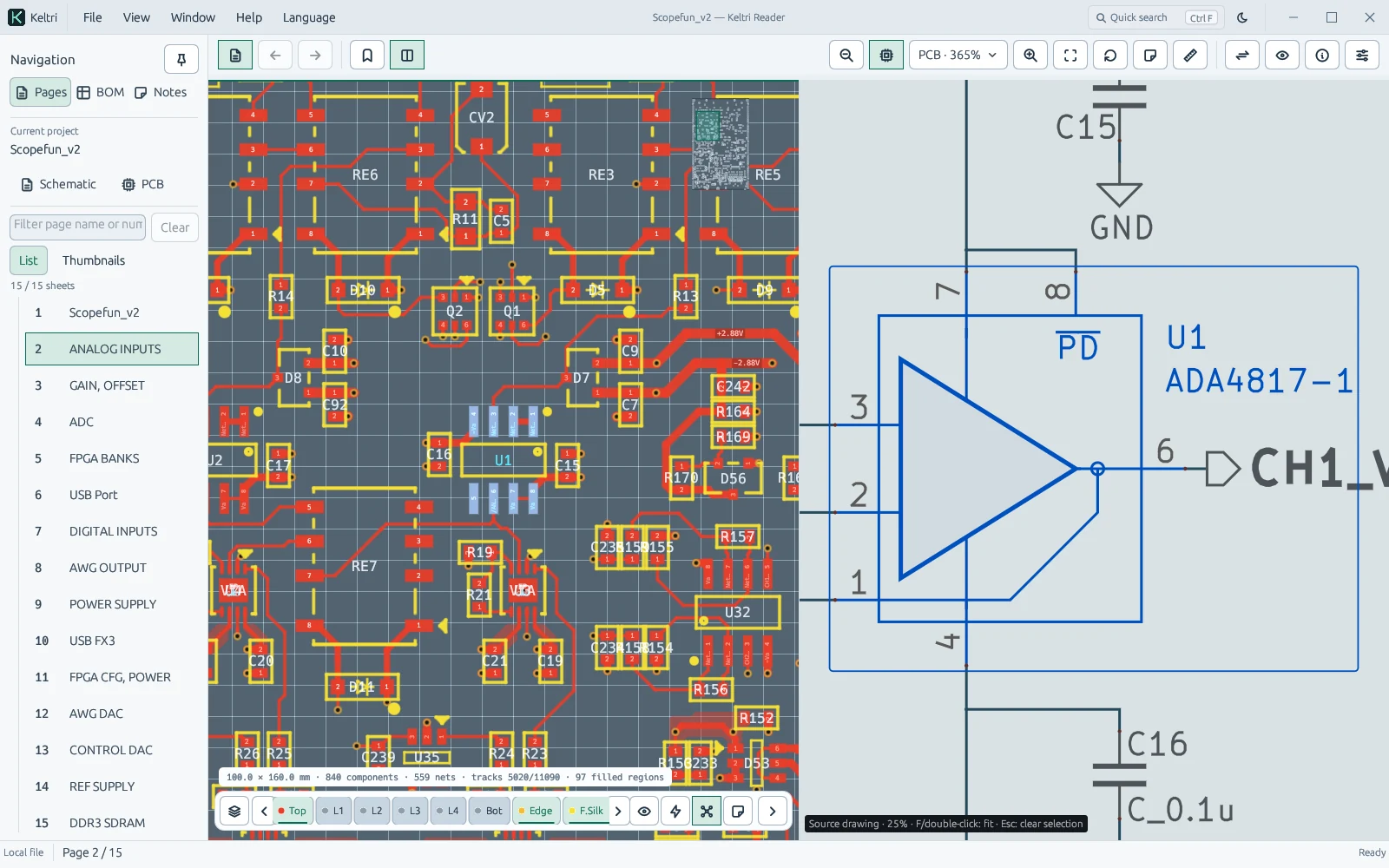
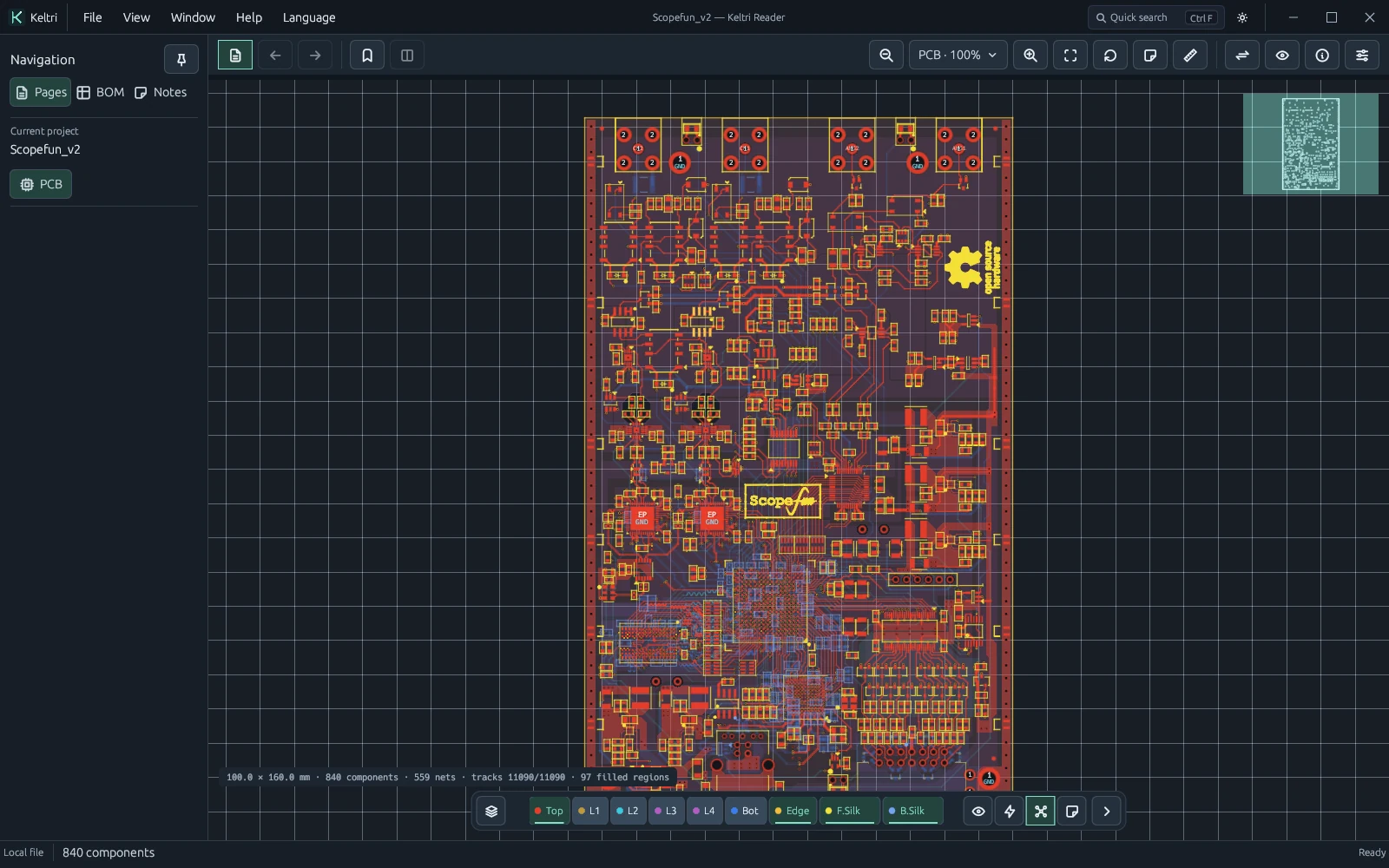
Actual reader rendering · ScopeFun hardware · CERN OHL v1.2 · ScopeFun · CERN OHL
Open the complete manual →Interactive demonstration · Select an electrical net to observe synchronized highlighting across views.
NATIVE MULTI-CAD
Native import support for KiCad, Altium Designer, Protel 99 SE DDB archives, PADS (Logic ASCII & Layout), Cadence OrCAD / Allegro, EAGLE, Mentor Xpedition, EasyEDA, and vector PDFs. Designed to read legacy and modern EDA files directly without proprietary CAD licenses.
Format coverage depends on file version and dialect. Reader inspection complements but does not replace sign-off CAD tools.
ENGINEERED FOR INSPECTION
From full-board copper topology down to individual BGA balls and test pins—always maintain clear visibility between physical layout and logical intent.
Jump effortlessly between PCB layout and schematic sheets. Click any pin, pad, or net to spotlight its counterpart on the opposite drawing instantly.
Isolate copper layers, inspect pad geometry and net connections, and keep your bearings with the overview radar. Detach views into dedicated multi-monitor windows as needed.
Navigate continuous multi-page schematics on an unconstrained canvas alongside vector PDF datasheets. Search pinouts and component properties with everything in immediate reach.
DOWNLOADS
Choose the installer for Start Menu integration, or extract the complete portable ZIP into a writable folder. Both contain the same reader.
High-performance viewer focused on multi-CAD layout inspection, schematic review, and signal tracing.
Open your drawings after installation or extraction. Visit Help for file formats, shortcuts and troubleshooting.
Install, then open from the Start Menu. Shortcuts and Open With entries are optional.
48,258,199 bytes0072b4f38caf38cba6c3a7a2d89e285f1c73a2388324939ea1e58575a9305ca6 Extract the complete ZIP, keep its subfolders, then run Keltri-Reader.exe.
63,843,684 bytes485aa988fced6b9ff2e1795437b4c0de754b0db3b9f50470279069a22fe2aed8 GETTING STARTED
Open board files, multi-sheet schematics, or datasheets directly via drag-and-drop or Ctrl+O. Loading project containers automatically binds PCB and schematic drawings together.
Toggle Linked Navigation to activate bidirectional cross-probing. Select components or nets to focus counterparts; ambiguous or multi-unit candidates are surfaced for inspection.
Switch between calibrated dark and light themes, configure copper grids, engage X-ray layer perspective, or undock canvases across dual-head display rigs.
Never. All CAD parsing, netlist extraction, and rendering execute entirely inside your local process. Your proprietary hardware IP never leaves your workstation.
Keltri Reader is purpose-built for fast inspection, cross-probing, and board bring-up. It is not an autorouter, layout editor, or manufacturing DRC engine.
The reader and installer are not code-signed, so Windows may show an unknown-publisher warning. Download from keltri.app; the published SHA-256 digest lets you check file integrity and is not a code signature.
Allow this site to record pages viewed, referring website domains and a broad device category, and link download activity? No IP address, name or precise location is collected for these statistics. Declining does not affect browsing or downloads. Change your choice in the footer at any time. Privacy details