 KeltriREADER
Help center
Start with your first drawing
Open hardware designs, master the interface, and establish an efficient review workflow.
Open a file or project
Extract the portable package and launch Keltri-Reader.exe directly without external runtimes or administrative setup. From the initial screen, open PCB layouts, schematics, or PDF datasheets via drag-and-drop or Ctrl+O.
When working with complete hardware designs, open the project entry file (.kicad_pro, .PrjPcb, or .ddb archive). The engine automatically inspects companion trees, pairs the PCB layout with matching schematics, and maps hierarchical child sheets. Standalone drawings and raw gerbers can also be opened individually.
Know the workspace
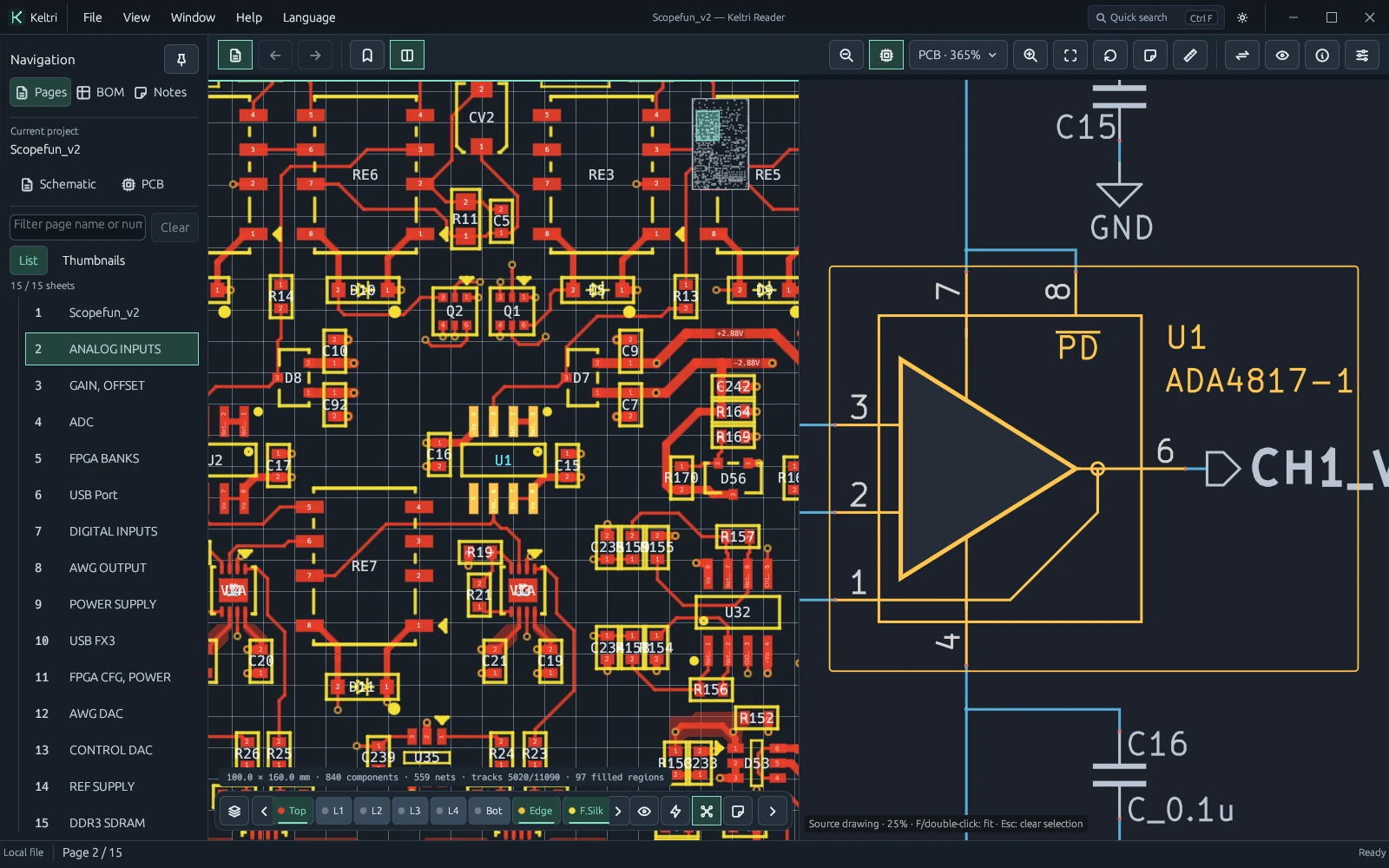
The workbench is organized into four core zones: the top title bar houses file operations, multi-window docking, theme switching, and global search; the main viewport provides a GPU-accelerated vector canvas; the left drawer (Ctrl+B) groups sheet hierarchies, assembly BOM tables, and repair annotations; the right inspector (Ctrl+I) displays live component packages, pin properties, and net connectivity.
The floating PCB dock (toggle with L) enables instant layer isolation, via net badges, and X-ray perspective—letting you peer inside dense multi-layer stackups in real time.
A five-minute walkthrough
- Load the design: Open a project container to parse CAD objects and populate the sheet hierarchy and BOM.
- Frame and navigate: Press Ctrl+0 to fit the whole board. Zoom smoothly with the mouse wheel centered on the cursor, and drag with the right button to pan.
- Search signals: Press Ctrl+F to invoke instant search for references (e.g. U1), pin numbers, or critical power/clock nets.
- Cross-probe: Enable Linked Navigation (Alt+3). Click any pad on the PCB to spotlight its schematic counterpart instantly, or click a symbol to trace physical placement.
- Inspect and annotate: Toggle X-ray (X) to trace internal routing layers, or press N to mark fault points and record test measurements.
What this edition does
Keltri Reader focuses on fast multi-format board review, signal tracing, BOM verification, and repair diagnostics. It is not an autorouter, layout editor, or manufacturing sign-off tool.
The parsing engine reconstructs visual and connectivity models strictly from raw CAD data without modifying or rewriting your source files. For scanned PDF drawings or drawings devoid of netlists, visual geometry is rendered faithfully while electrical topology boundaries are surfaced in the inspector.